Skip Navigation

Posts
13
Comments
32
Joined
3 yr. ago

GNU/Lisp Enthusiast!

  • Yes your description is just right and is the heart of my question. To use your terminology:

    Currently:

    • Away from home: Phone -> VM -> Home Server
    • At home: Phone -> VM -> Home Server (inefficient!)

    Ideally:

    • Away from home: Phone -> VM -> Home Server
    • At home: Phone -> Home Server

    In the ideal case, I would never have to change anything about the wireguard config/status on the Phone, nor would I have to change the domain name used to reach the resource on the Home Server.

  • Oh hm I didn't think about your last point, maybe it's not really an issue at all. I think I'm not 100% on how the wireguard networking works.

    Suppose I tunnel all of my traffic through wireguard on the remote server. Say that while I am home, I request foo.local, which on the remote server DNS maps to a wireguard address corresponding to my home machine. The remote will return to me the wireguard address corresponding to the home machine, and then I will try and go to that wireguard address. Will the home router recognize that that wireguard address is local and not send it out to the remote server?

  • Yes that would work, but it feels a bit cumbersome to have 2 fqdns per service, which I would have to switch between using depending on on whether I'm local or not.

  • Right but I want to be connected to wireguard always, I just want the DNS/routing to be different based on home vs foreign network.

  • And so when away do you just directly connect to the external IP and do port forwarding?

  • So you have a public DNS record pointing to your home IP?

  • I think tailscale would work, though I'd ideally want to use something like headscale instead, but that's a bit of a logistical hastle for my setup. Do you know if pangolin can handle this as well?

  • Selfhosted @lemmy.world

    How to Use Local IP for Services when at Home?

  • Häagen-Dazs

    "Häagen-Dazs" is an invented pseudo-Scandinavian phrase coined by the American Reuben Mattus, in a quest for a brand name that he claimed was Danish-sounding. However, the company's pronunciation of the name ignores the letters "ä" and "s", and letters like "ä" or digraphs like "zs" do not exist in Danish.

    His daughter Doris Hurley reported in the 1996 PBS documentary An Ice Cream Show that her father sat at the kitchen table for hours saying nonsensical words until he came up with a combination he liked.

  • Where is that from? It is extremely pessimistic and obviously false.

  • someone should tell Iceland

  • wait until you try emacs

  • Videos @lemmy.world

    Ikea

  • Metal @lemmy.world

    Castle Rat - Fresh Fur

  • Doom Metal @lemmy.world

    Castle Rat - Fresh Fur

  • Programming @programming.dev

    What Might Functional Programming Mean

    wumpus.life /posts/functional-programming.html
  • I use guix on all of my machines, personal and servers, and have my own guix channel. I'd be happy to answer any questions I can (note that I'm not a maintainer, though I have contributed a few packages).

    On top of the official documentation, check out the cookbook.

    Also look at David Wilson's aka SystemCrafter's website's guides to guix, as well as his youtube playlist on guix and his dotfiles.

    You can also take a look at my dotfiles and guix channel.

    Finally if you wanna chat or ask questions, come to the IRC #guix on libera.chat.

    Happy hacking!

    P.S. About your specific question regarding mixing package versions, look at channel inferiors and guix time-machine.

  • M-% NixOS RET Guix RET !

    But yes 80% of my comment applies to Nix as well, as of course Nix is older and Guix is (conceptually) based on Nix. Though I personally use and prefer Guix.

  • Yes GNU Guix is a linux distro.

    The package manager for Guix (also called guix) is also a portable package manager which works on any linux distro, similar to flatpak, nix, homebrew, etc.

    Guix's claim to fame is that it is a functional distro/package manager, meaning that all changes are atomic, so installing/upgrading/deleting packages never leaves your system in a broken state.

    Not only that, but if you make some change to your system and it breaks for normal reasons (e.g. newest software version has a bug), you can roll back to your previous system state with all your previous packages and their versions, and this roll-back operation is also atomic.

    Guix the distro not only let's you do package management this way, but also let's you do declarative system configuration. This means rather than manually rummaging around /etc changing files and hoping nothing breaks, there's simply a single config file which declares all of your system configuration. From your kernel to users, partitions, system services, and just about anything else, all the configuration is declaratively done in one place with one language (Guile Scheme). Any changes you make to your system this way are also of course atomic and can be rolled back.

    It even comes with a built in system called guix home which lets you bring that same level of declarative, atomic configuration to your user's home environment, letting you manage user level packages, dotfiles, env variables, and more with a single home configuration file.

    There are other goodies too, such as the ability to spawn one-off shell environments with the guix shell command, dropping you in a shell with all the packages and env variables you declare, keeping your regular user environment clean (very nice for development).

    There's even more, but at this point if you're still interested just head over to the site and the docs.

  • Linux @lemmy.ml

    Guix on the Framework 13 (AMD)

    wingolog.org /archives/2024/02/16/guix-on-the-framework-13-amd
  • Linux @lemmy.world

    Guix on the Framework 13 (AMD)

    wingolog.org /archives/2024/02/16/guix-on-the-framework-13-amd
  • Guix @lemmy.ml

    Guix on the Framework 13 (AMD)

    wingolog.org /archives/2024/02/16/guix-on-the-framework-13-amd
  • If I understand you correctly, this is trivial in emacs:

     lisp
        
    (defun insert-text ()
      (interactive)
      (insert "your text here"))
    
    (global-set-key your-keybind-here #'insert-text)


    You could make it a format string if it relies on data specific to some file or parameter. You could also make the keybind local to certain modes/files rather than a global keybind if you don't want to pollute your keybind space.

  • Selfhosted @lemmy.world

    Products vs Protocols: What Signal Got Right (Snikket/Prosody Dev)

    snikket.org /blog/products-vs-protocols/
  • Unixporn @lemmy.ml

    GNU/LiSP

  • Linux @lemmy.ml

    Everyday Use of GNU Guix

  • Linux @lemmy.ml

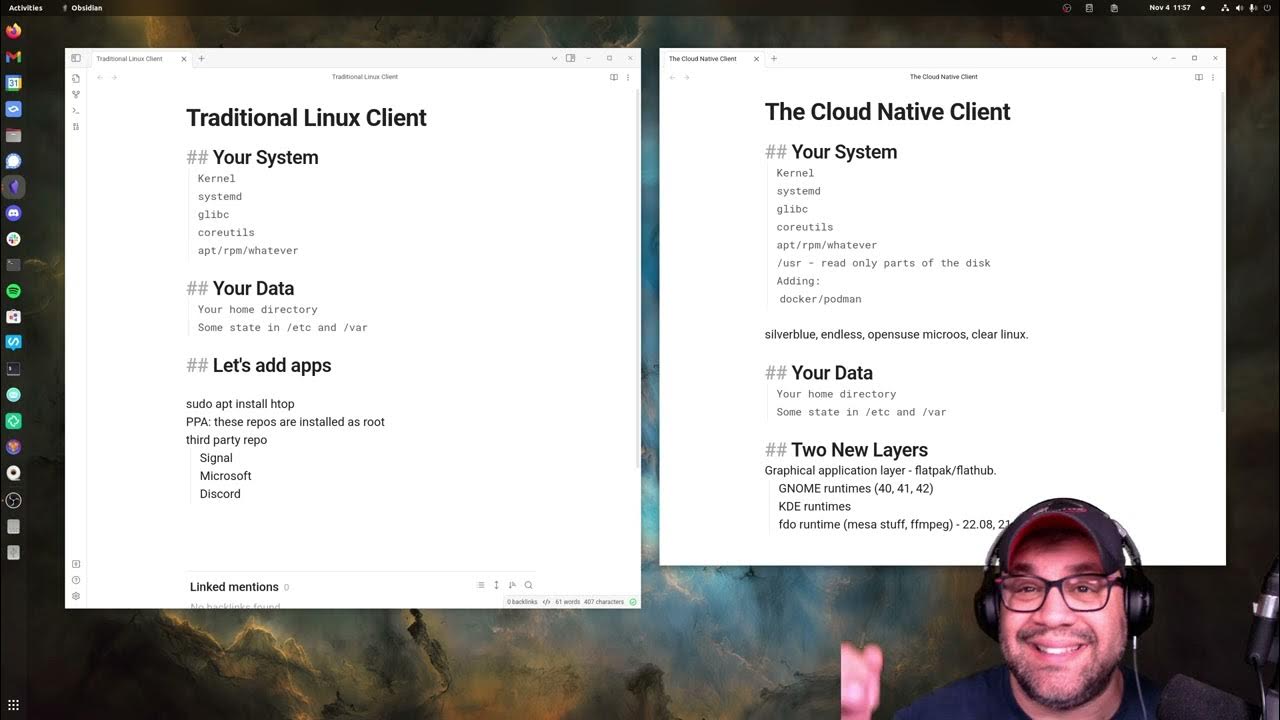
    The Cloud Native Linux Desktop Model (e.g. Silverblue)
  • Unixporn @lemmy.ml

    My Comfy GNU/Lisp Machine