Skip Navigation

InitialsDiceBearhttps://github.com/dicebear/dicebearhttps://creativecommons.org/publicdomain/zero/1.0/„Initials” (https://github.com/dicebear/dicebear) by „DiceBear”, licensed under „CC0 1.0” (https://creativecommons.org/publicdomain/zero/1.0/)S

SayCyberOnceMore

@ Cyber @feddit.uk

Posts
23
Comments
857
Joined
3 yr. ago

  • Wow.

    Ok, I don't have anywhere near that amount of media, but MythTV takes seconds to rescan ~2TB of videos and maybe a minute to get any missing details like fanart, etc.

    Similar amount for music - but I feed it the files after I've run them through Picard.

    I've not done a complete rescan of eveything for ages, but from memory it's like an hour absolute tops. More like ~30 mins.

    And that's on an underclocked CPU (for quietness).

  • Out of curiosity, which Mint bugs are you seeing?

    I've just upgraded one family laptop to... 22? And about to do another on the weekend... so curious if I should hold off, or hurry up...

  • This looks very interesting.

    I track the family's location with GPS Logger (on Android) and the Home Assistant app on the iPhone user... it's all going to HA at the moment to turn lights on when people get home...

    And I have a separate Immich server.

    So, reading this, I can combine this all together from HA and Immich - or do I need to send the GPS coordinates to this server too?

    I'm also not a container user... skimming the installation section, the instructions appear to be only support docker - are standalone instructions also covered? (I may have missed them...)

    But, this looks really nice.

    I liked thr piechart where you distinguish between walking, cycling, driving, etc, I presume that's done by velocity...? So, do you calculate that or need that data from the phone app?

  • I don't run any containers and this made me consider trying to get the whole infrastructure setup 😁

  • Just basic commands will get you most of the way there... lsblk, fsck, etc.

    You can check the formatting and partitioning with something like gparted (a GUI for parted)

    For SMART, use smartctl or gsmartcontrol for a GUI

    Note: external USB enclosures / docks / adapters / etc. rarely pass SMART data, so you'd need to actually plug it into a mobo to check that.

  • Linux should see most formats... you might need to install something to read NTFS... but if they're FAT32, most distros have thst installed by default.

    If you can't read them, and there's nothing on there that you need to recover, then just zero them and check them with a full SMART scan, then you'll know if they're reliable before wasting time with a RAID array that keeps chewing up drives.

    But, I don't know of any mobos that'll connect that many drives...

  • Are these external USB drives? You can certainly plug those in all over the place, but it's not a scable, long term solution.

    Shuck the drives if they're external and just use them as normal drives

    And you can't daisy chain modern drives in the same sense that old SCSI / PATA drives used to be connected, but you could get a drive bay to fit an existing PC - I had one that put 4x 3.5" drives into a 3 bay 5.25" space... wasn't great but did the job.

    But, you'll want to get the drives into some kinda array - could be a JBOD initially, but you will NEED good backups as any drive failure = total loss of it's files.

    Perhaps backup each drive to... somewhere... create an array and then restore all your data into that new array.

    Total available storage of RAID is less than the total space in all the drives due to checksums, duplication, etc.

  • Yeah I want an external drive out of the house, but I feel like that is independent of my decision on how to store data at home. Am I wrong?

    Yes 🙂

    You'll want offsite storage no matter what you build. This protects you from wiping your RAID array (RAID is not a backup), syncing the wrong data and losing files, etc.

    And... imagine your NAS is gone. Make sure you know how to get your (encrypted) data back.

    The first thing I did was backup a small chunk of files and then see that I could restore them to a different laptop.

    Yep, I have Arch with a btrfs RAID array because - for me - ZFS was too needy. I can use standard tools to maintain btrfs.

    It has SMB and NFS shares, powers up & down (when idle) automatically, and syncs our phones and laptops via syncthing (sync is also not a backup)

    Everything is backed up to an online storage provider AND a HDD connected to a RasPi in a family members home (and I reciprocate some of their backups)

    I do have Immich running natively on the NAS (no containers) because all our photos are there, so it made more sense to put it there, but all other functions (Home Assistant, etc) are on a separate device.

  • First up... backups...

    You've got all your data on a single 8TB external drive?

    If you get lots of hardware, or stay the same, you'll still want need to get your data off that system and preferably out of the house for the 3 F's: fire / flood / feft (😉)

    At this point it might just be simpler to get online storage and upload it all... or a 2nd drive and just clone it.

    Now, you can breath as you change your system and oops, accidentally wipe the wrong drive... it's all offline elsewhere

    Next up, to help with decision paralisis; the software and hardware you choose are going to be related... TrueNAS is going to want a new mobo with loads of RAM for the ZFS on the drives... OpenMediaVault will work on small hardware (as well as bigger too...), so decide with your wallet on hardware first.

    Everything (worth considering) supports RAID - you'll want RAID1 if you only have 2 drives, RAID5 or 6 for many drives. If you use ZFS they modify the naming convention, but learn standard terminology first.

    I've tried it all, over the years, so expect to try something for a while, then ditch it for something else - another reason to have your data offline somewhere.

    I came back to a simple Arch linux box with 4 drives running btrfs 🙂

  • The routers are running Arch? What hardware are they?

    I'm running pfSense as edge firewalls with a Fritzbox router as a bridge - no issues there, but would be interesting to replace that part too, if possible.

  • Upgrading a family member's laptop while shooting the shit with everyone while drinking a beer or something is just fine. Don't need 100% focus, you're good there man.

    Yep, although I tend to avoid partition resizings whilst on the whisky 😉

  • Nice. Yeah, that's a great idea for work.

    But, for personal stuff, this is often the only time available...

    I "had" to free up space (0 bytes free) on a woefully underpowered Win11 laptop for the father-in-law. I swear it was originally Win7, so it's been upgraded a couple of times, but no, Linux is a step too far for him... crawling Win11 is his wish...

    I'm now mid-upgrade for my Mum's laptop (Mint 21 --> 22), but with a full clonezilla backup image on standby!

    Ah, it's the "holidays"... for some...

  • Yeah, I'm the same, but if it's an easy way to get people into the warm embrace of Linux, then hopefully they'll look around and see other (Gen Purpose) distros exist.

  • And you did a backup first, right? 😉

    How big's the array? If it's PBs, then I can understnad it, but GBs... I agree, it should be done by now...

    ... unless it's still online and being written to by a database...?

  • Yeah, my Pi Zeros are bettter on Trixie.

    My proxmox was also an adhoc, lets-see-what-happens-if... build, but I think I'm going to drop proxmox for Incus as I can script that in Ansible too

  • Yeah, after reading the other comments in here, you should be able to re-read that page and see it's not the best advice.

    Top Tip: if you're testing things, you'd modify PATH in the current session first, check that fixes the problem and only then modify any environmental files like .bashrc, etc. so if something got borked you could just logout and in again...

    That page reminds me of Windows self-help pages that ask readers to defrag the harddrive in order to get a printer working.

  • They're just using that symbol / rune instead of "th"... you'll get the hang of it after a couple of reads

  • I started getting the base install on a separate SD card yesterday, and realised there's still loads of things I'd missed in my Ansible script, like reducing journal writes, etc.

    So, I just put the old SD card back in and left it until I can look at it again

    Small steps...

  • Look into radicale if that's you're using NC as a DAV server - and everyone's using their phone as a client

    It's so simple & lightweight (but admittedly the webgui is admin only - no visible calendar)

  • Selfhosted @lemmy.world

    Holiday Upgrade Disasters

  • Linux @lemmy.world

    Backups.. Pull or Push?

  • Linux @lemmy.world

    Laptop uptime - since suspend

  • Selfhosted @lemmy.world

    Open Source Developers Are Exhausted, Unpaid, and Ready to Walk Away

    itsfoss.com /news/open-source-developers-are-exhausted/
  • Selfhosted @lemmy.world

    Any experience of Diode?

  • homeassistant @lemmy.world

    Today, enjoy your self-hosted home automation

    www.techradar.com /news/live/amazon-web-services-alexa-ring-snapchat-fortnite-down-october-2025
  • cybersecurity @infosec.pub

    Stumbled on to StormShield - opinions?

    www.stormshield.com
  • cybersecurity @infosec.pub

    Solar PV vulnerabilities

    www.redhotcyber.com /post/34-000-impianti-solari-a-rischio-hacker-la-sostenibilita-ha-un-lato-oscuro/
  • Selfhosted @lemmy.world

    Ansible Playbook - How do I reverse engineer a running system?

  • Arch Linux @lemmy.ml

    OLD System... Upgrade or re-install?

  • homeassistant @lemmy.world

    Automated Cooling

  • Technology @lemmy.world

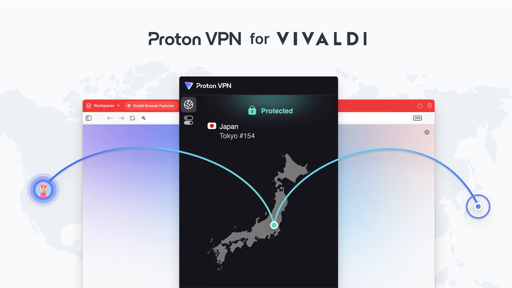
    Vivaldi, now with added VPN

    vivaldi.com /blog/privacy-without-compromise-proton-vpn-is-now-built-into-vivaldi/
  • Technology @lemmy.world

    Options for "iPlayer will stop working on this device"

  • Selfhosted @lemmy.world

    Any MythTV Users Here?

  • Selfhosted @lemmy.world

    NAS vulnerabilities

    www.theregister.com /2024/06/24/mirailike_botnet_zyxel_nas/
  • Arch Linux @lemmy.ml

    Sanity check: Vivaldi high CPU usage

  • Selfhosted @lemmy.world

    pfSense DHCP (& DNS) Performance

  • networking @sh.itjust.works

    pfSense DHCP / DNS performance

  • Selfhosted @lemmy.world

    Pause alerts during the night

  • Linux @lemmy.ml

    Desktop Security